

CAN Bus Rugged Tablet for Fleet Telematics & Vehicle Data Logging
Industrial Android tablet with dual CAN Bus (J1939-compatible) — collect data from two independent vehicle networks simultaneously without external gateways. As a core component of JAXICLOUD FLEET MANAGEMENT's in-vehicle computing platform, it delivers hardware-level vehicle integration that consumer devices cannot match.
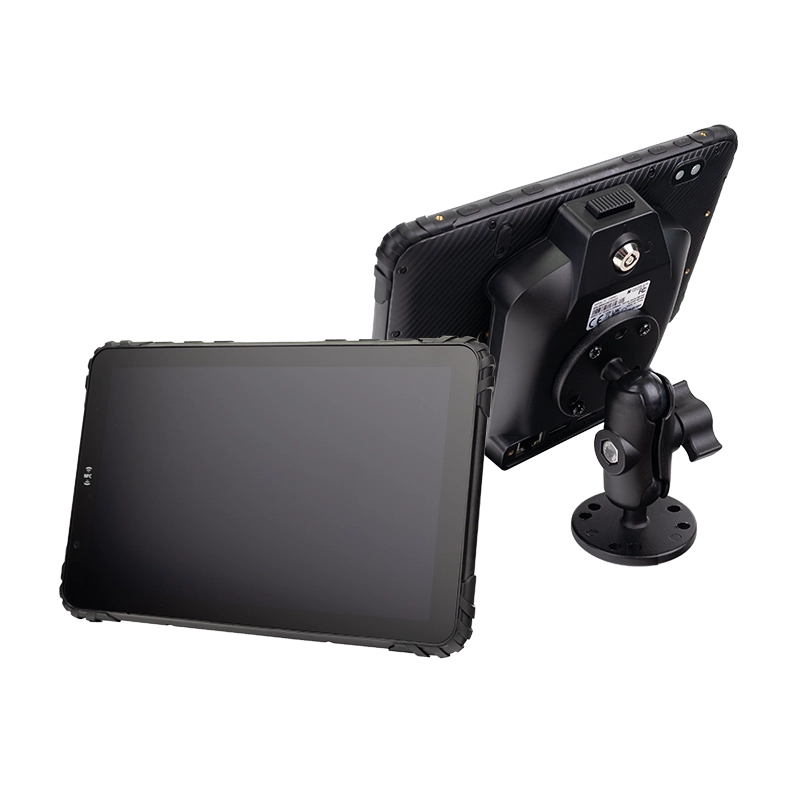
MDT865 + CRD865-CAN cradle | CAN Bus ready
What Is CAN Bus in Fleet Telematics?
CAN Bus (Controller Area Network) is the vehicle communication standard used in commercial trucks, buses, and heavy equipment — including J1939 protocol for engine diagnostics, fuel consumption, speed, and fault codes.
A CAN Bus rugged tablet integrates directly into this network, acting as a real‑time data logger and display terminal. Unlike consumer tablets that require third‑party adapters, our tablet + cradle combination provides hardware‑level dual CAN Bus support (J1939‑compatible), ready for fleet telematics, predictive maintenance, and driver coaching. For system integrators building fleet management tablet solutions, this hardware foundation eliminates the external gateway layer entirely.
CAN Bus Tablet: Key Capabilities
Dual CAN Bus (J1939‑Compatible)
Hardware‑level dual CAN Bus support via CRD865-CAN cradle — connect two independent vehicle networks simultaneously. Compatible with J1939 engine data.
9-36V Wide Voltage
Direct vehicle power with ignition sensing — works on 12V/24V trucks, buses, and equipment.

4G/5G + GPS
Real‑time data upload to cloud telematics platforms with precise GNSS tracking.
Multiple I/O
RS232, GPIO, USB, Ethernet — for sensors, cameras, and expansion.
Hardware Solution: CRD865-CAN Cradle + Cable Kit
Engineered for CAN Bus data logging and vehicle telematics
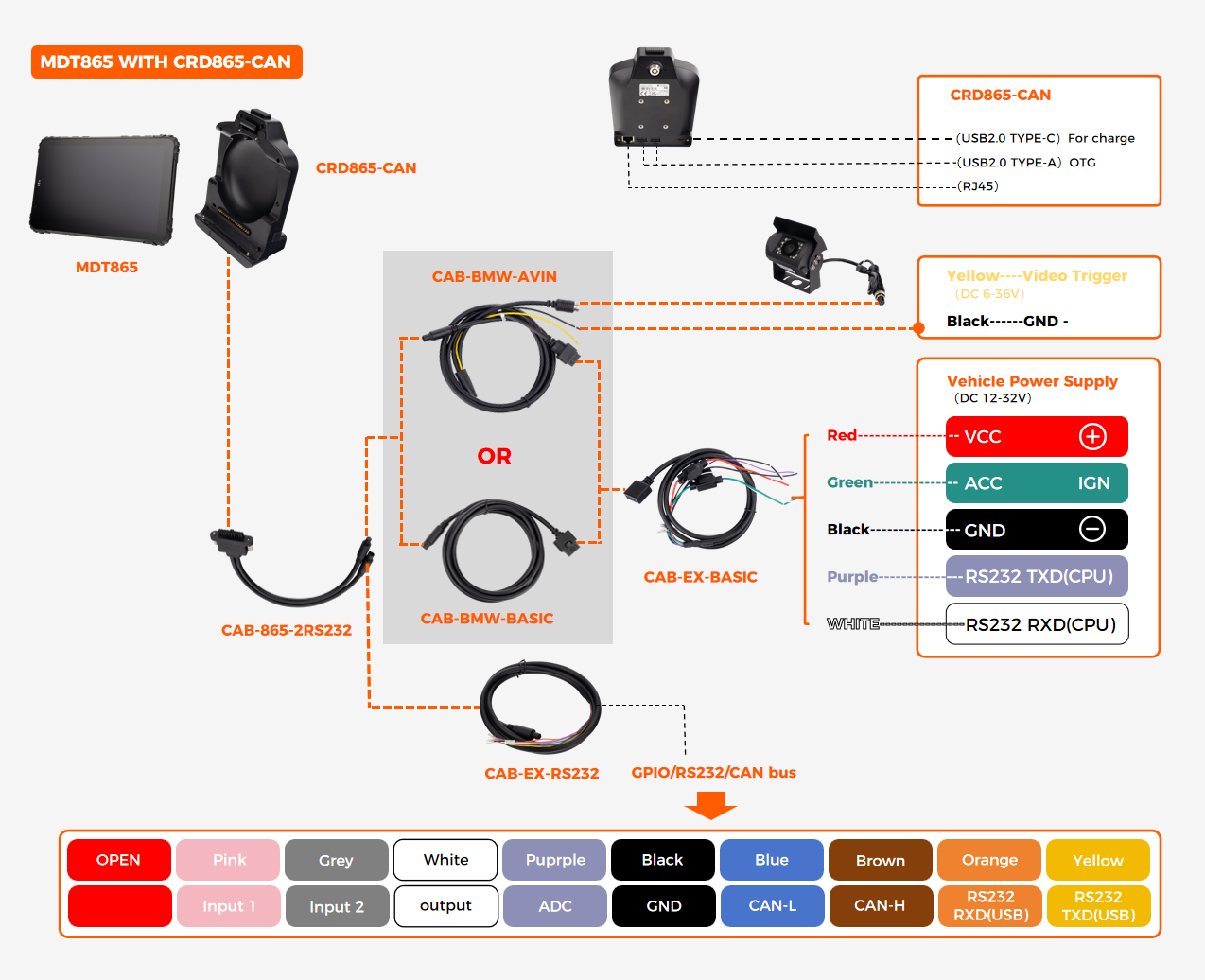
CRD865-CAN Cradle
2× CAN Bus (J1939‑compatible) interfaces
9-36V DC input with ignition sense
2× USB-A (OTG) + 1× USB-C
RJ45 Ethernet, 2× RS232, 4× GPIO
Pogo‑pin docking for MDT865 / MDT880
Wiring diagram above shows 1× CAN Bus connection example. A second CAN Bus channel is available on the cradle — contact our engineering team for dual‑CAN wiring configuration.
Recommended Cables
CAB-865-2RS232 — RS232 + CAN
CAB-EX-RS232 — extension for RS232
CAB-BMW-BASIC — basic I/O
CAB-EX-BASIC — power + I/O extension

Complete integration kit
Tablet + cradle + cable
ready for vehicle installation
EXT-USB-CAN-01: Dual CAN Bus via USB-A OTG
Add dual CAN Bus (J1939) capability to any JAXICLOUD FLEET MANAGEMENT tablet with a USB-A OTG port
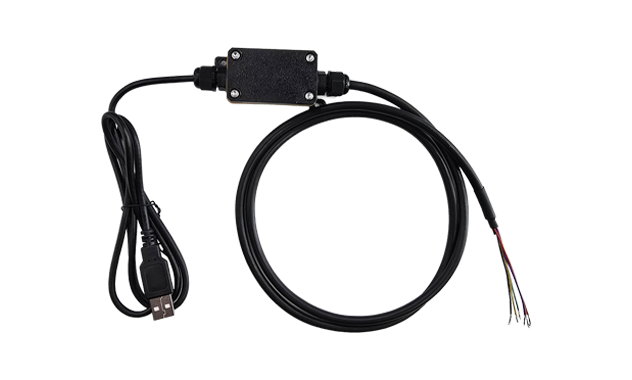
Plug-and-Play CAN Bus Expansion
External USB adapter that converts a single USB-A OTG port into 2× independent CAN Bus (J1939-compatible) interfaces.
Key Specifications
Interface: USB-A OTG to 2× CAN Bus (J1939 / CAN 2.0B)
Compatibility: Works with any JAXICLOUD FLEET MANAGEMENT tablet featuring USB-A OTG
Channels: 2 independent CAN Bus networks simultaneously
Protocol: J1939 engine data, OBD-II, CAN 2.0B
Power: Bus-powered via USB, no external supply required
Why this matters: Not every deployment needs a dedicated CAN Bus cradle. For installations where a USB-A OTG port is available, the EXT-USB-CAN-01 provides dual CAN Bus capability without replacing the existing dock or mounting system.
View full EXT-USB-CAN-01 specifications →CAN Bus Tablet Applications
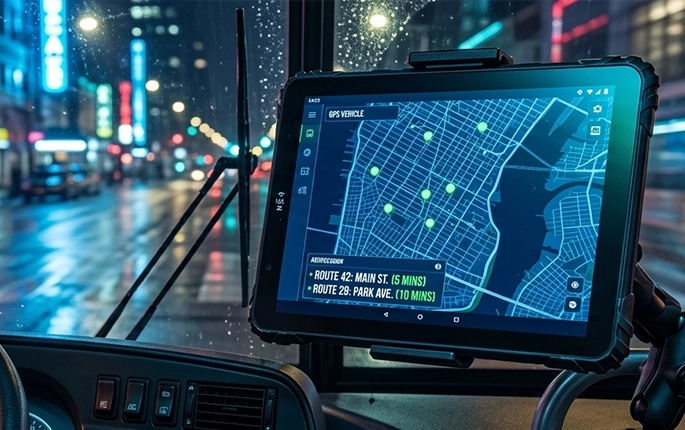
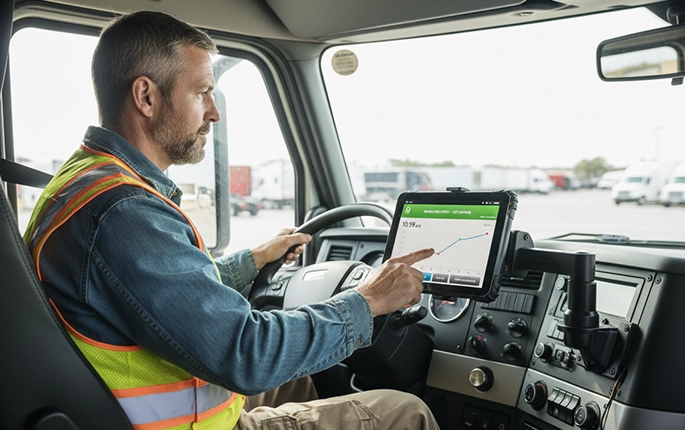
Deploy CAN Bus integration across key fleet and telematics scenarios

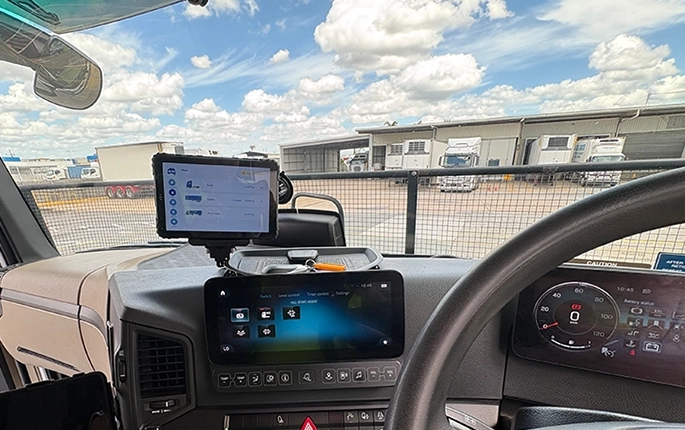
Consumer Tablet vs CAN Bus Tablet
| Feature | Consumer Tablet | JAXICLOUD FLEET MANAGEMENT CAN Bus Tablet |
|---|---|---|
| CAN Bus Support | ✕ External adapter required | ✓ Hardware-level via cradle or EXT-USB-CAN-01 |
| Vehicle Power | ✕ 5V USB only | ✓ 9-36V with ignition sense |
| Mounting | ✕ Suction cup (unstable) | ✓ Vehicle dock + anti‑vibration |
| Data Logging | ✕ No native telematics | ✓ CAN + GPS + 4G/5G ready |
For fixed installations with CAN Bus connectivity, explore JAXICLOUD FLEET MANAGEMENT's vehicle mount computers →
Compatible Fleet Telematics Platforms
Our CAN Bus tablet integrates with leading fleet software via open Android + SDK support
Frequently Asked Questions
What CAN Bus data can be collected?
Our CAN Bus tablet supports standard vehicle parameters including engine speed, fuel rate, coolant temperature, oil pressure, fault codes (DTCs), and idle time — compatible with J1939 engine data. Two independent CAN Bus interfaces are supported — ideal for connecting both powertrain and body network simultaneously. Please consult our engineering team for additional channel requirements.
Do I need a separate CAN gateway?
No. The CRD865-CAN cradle integrates CAN Bus hardware directly, eliminating the need for external gateways. This makes the tablet a true in-vehicle data acquisition platform →
Can I use EXT-USB-CAN-01 instead of the CAN cradle?
Yes. If your tablet has an available USB-A OTG port, the EXT-USB-CAN-01 provides the same dual CAN Bus (J1939) capability without requiring the dedicated CAN cradle. This is ideal for deployments where the existing dock or mounting system needs to remain in place.
Can I log data offline?
Yes. Our tablets support internal storage and SD cards for offline data logging when cellular connection is unavailable — ideal for remote fleet operations and mining sites.
Is OEM customization available for CAN Bus integration?
Yes. We provide SDK, API documentation, and hardware customization for fleet telematics providers and system integrators. Contact CAN Bus team →
Related Technical Applications



Choose your application — same tablet platform, different I/O configurations
Ready to Add CAN Bus to Your Fleet Telematics?
Get a quote, request a CAN Bus demo kit, or talk to our integration engineers.