

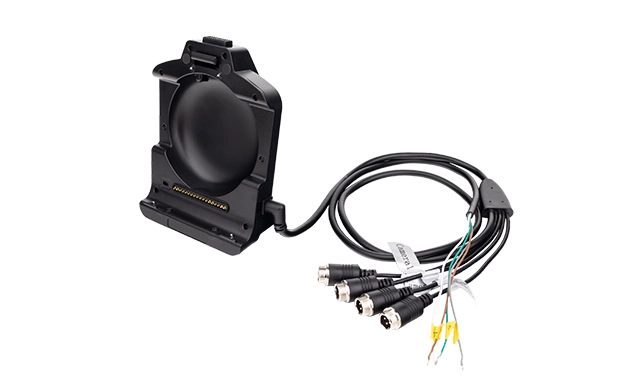
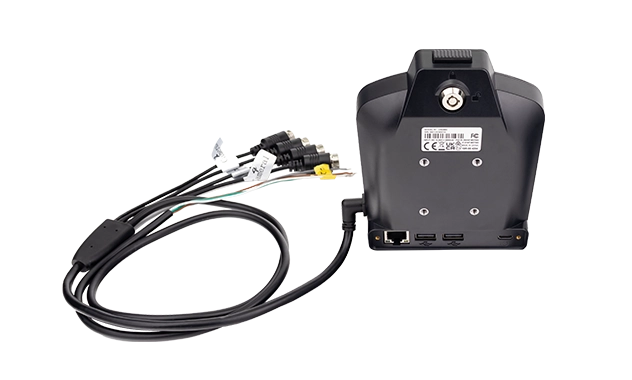
CRD880-CAM Vehicle Docking Station for MDT880
Extended vehicle docking station for the MDT880 8-inch 5G rugged tablet. Combines GPIO control, dual RS232/RS485 serial channels, 4-channel AHD camera input, and Gigabit Ethernet in a single cradle. Designed for fleets that require simultaneous vehicle data capture, multi-camera display, and peripheral control from one mounted tablet.
The CRD880-CAM is available in two wiring configurations — V10 and V20 — that differ in how the RS232/RS485 channels are routed. Both versions share the same physical dock, the same pogo-pin tablet interface, and the same camera and GPIO capability. The difference is in the serial channel architecture.
This dock-connected architecture is designed for live viewing, event-triggered capture, and AI inference on a small number of camera streams. If your deployment requires continuous 24-hour recording across the full shift, chain-of-custody evidence, or more than five camera channels recorded simultaneously, the recording workload belongs on a dedicated MDVR. The vehicle camera architecture guide covers the decision in detail.
CRD880-CAM-V10 Cradle with GPIO and RS232/RS485 Cables
Provides dedicated RS232 and RS485 channels on separate physical interfaces. Suitable for deployments where RS232 devices and RS485 sensor buses operate simultaneously and must remain electrically isolated from each other.
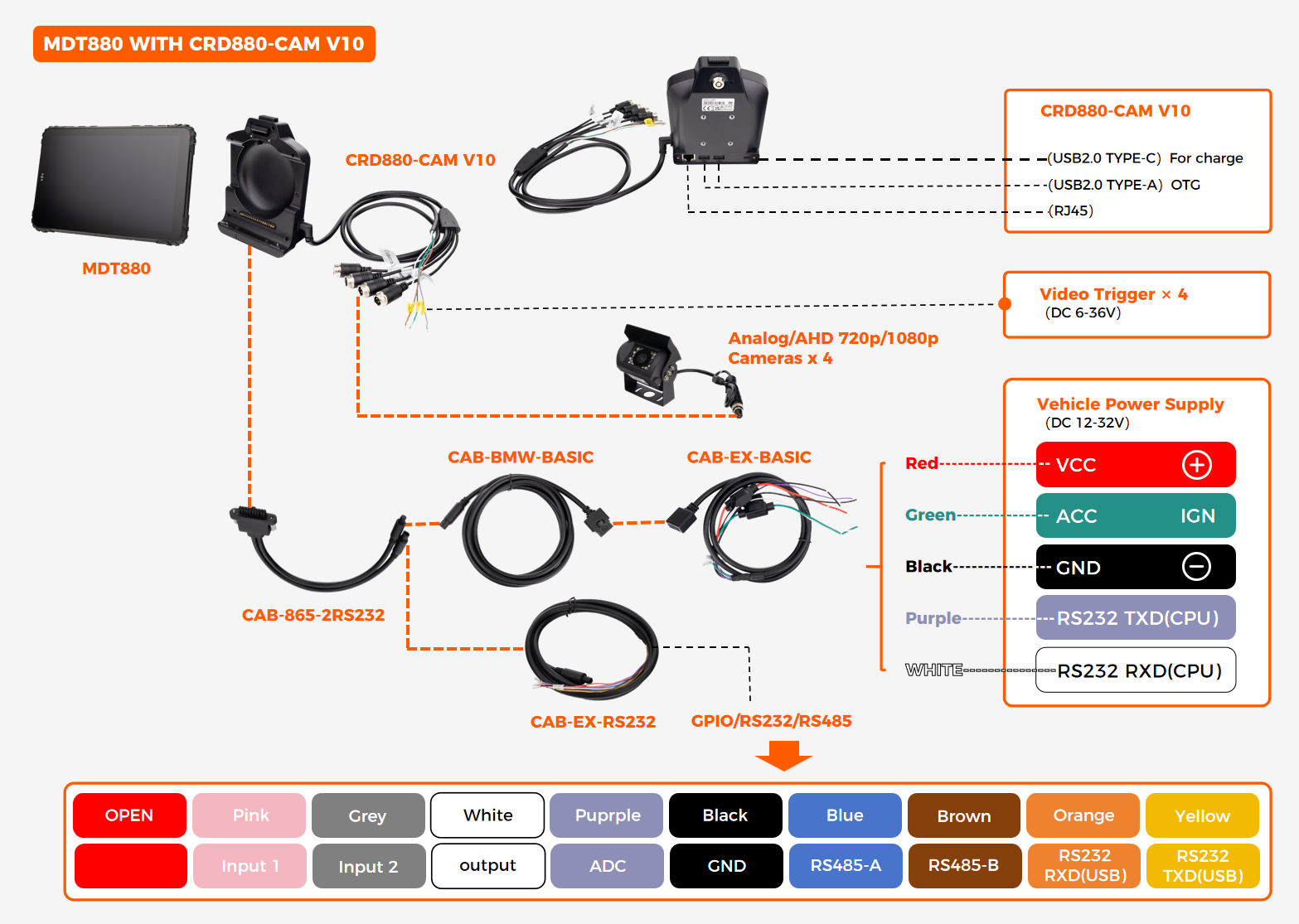
Interface Summary
CRD880-CAM-V20 Cradle with GPIO and RS232/RS485 Cables
Uses a shared RS232/RS485 channel that can be configured at the software level to operate in either mode. The second serial channel remains dedicated RS232 connected to the CPU. Suitable for deployments where the serial protocol requirement changes between installations, or where a single RS485 bus is sufficient.
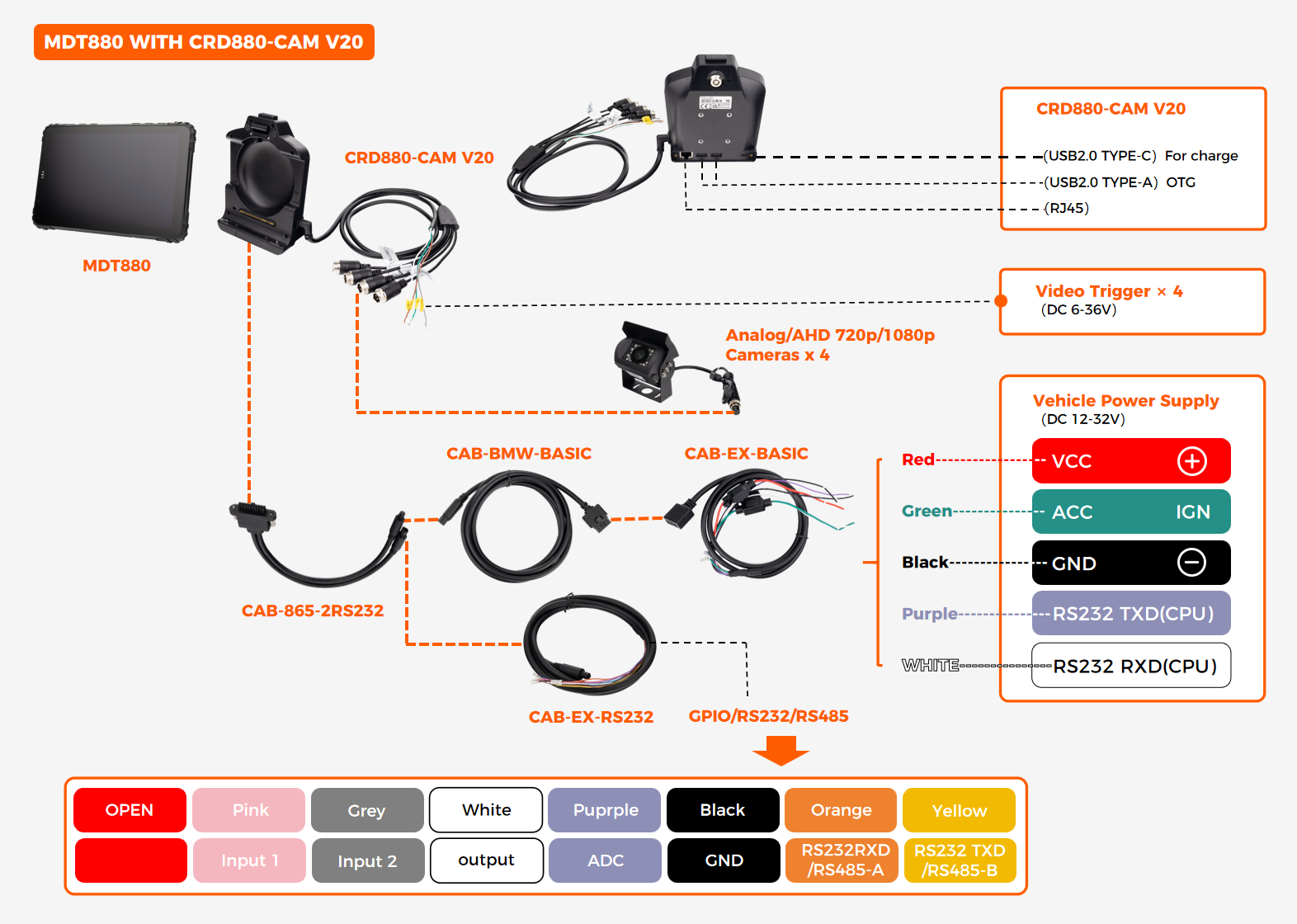
Interface Summary
CRD880-FULL Cradle with CAN Bus, GPIO, and 4-Channel Camera
Maximum-integration configuration built on the same physical cradle as the CRD880-CAM V20, with the CAB-BMW-CAN cable assembly. Adds dual CAN Bus channels and a fifth GPIO line to the shared RS232/RS485 architecture — combining vehicle network access, multi-camera display, and peripheral control in one dock. Suitable for deployments that require J1939 engine data, proprietary body-control signals, four-channel video, and GPIO automation simultaneously.
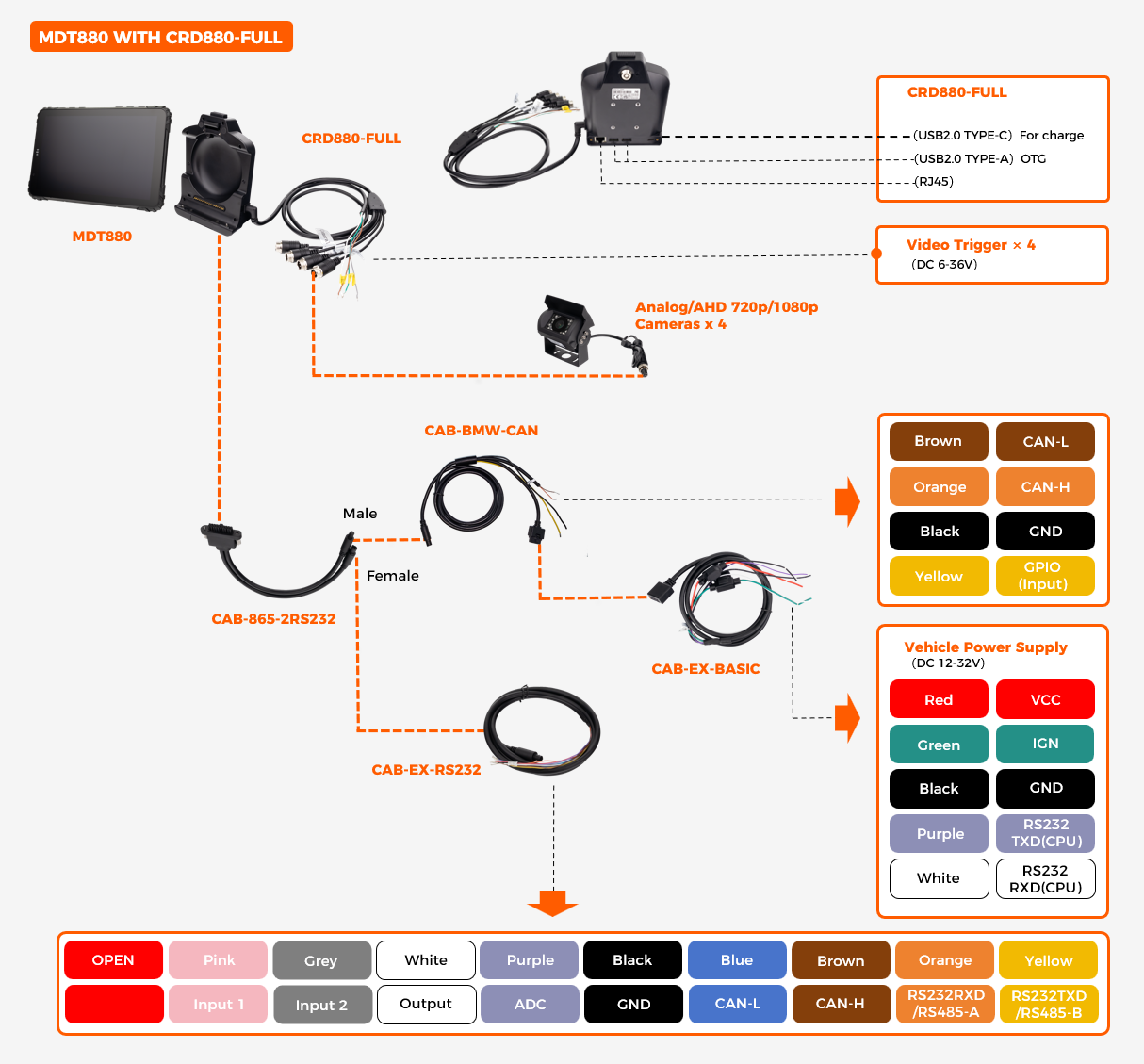
Interface Summary
Note: CRD880-FULL uses the same physical cradle as CRD880-CAM V20, with the CAB-BMW-CAN cable assembly. The difference is the cable harness — FULL adds 2× CAN Bus channels and expands GPIO from 4× to 5× (3 Input / 1 Output / 1 ADC). The RS232/RS485 architecture remains shared and configurable, as in V20.
How to Choose Between V10 and V20
Select V10 if your deployment requires two independent RS232 devices and one RS485 bus to operate at the same time — for example, a weighbridge (RS232), a receipt printer (RS232), and a temperature sensor network (RS485). Select V20 if your serial requirement is either a single RS232 device plus a configurable second channel, or if the RS485 requirement may change over time and you want the flexibility to switch via firmware configuration.
Dock-Connected Cameras vs External MDVR
The CRD880-CAM connects up to four AHD cameras directly to the MDT880 through the dock. This architecture is appropriate when the video workflow is live assistance, event-triggered capture, or AI inference on one or two streams. The tablet decodes one stream at a time during normal operation, so the SoC stays within its thermal envelope and no continuous write to flash occurs.
The architecture is not designed for continuous 24-hour recording across all four channels. That workload requires sustained hardware encoding, continuous storage writes, and thermal headroom beyond what a tablet-sized device can maintain in a sunlit cab. For deployments that require continuous recording, chain-of-custody evidence, or more than five camera channels, the recording workload belongs on a dedicated MDVR. The tablet and the MDVR are not alternatives — they are two subsystems of a single vehicle architecture.
EXT-USB-CAN-01 — USB to CAN Bus Adapter Cable
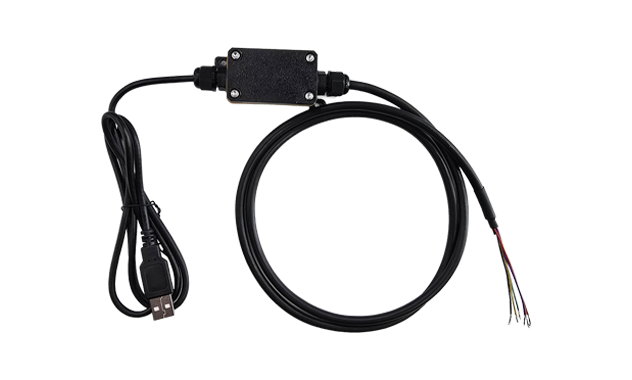
Adds CAN Bus capability to any MDT880 docking station equipped with a USB-A OTG port. One adapter cable supports up to 2 CAN Bus channels, enabling hardware-level vehicle network access without replacing the existing cradle — ideal for retrofit deployments, pilot fleets, or vehicles that require CAN data only in specific configurations. The native CAN interface on the CRD880-FULL and the USB-CAN adapter can operate at the same time, giving the tablet access to two separate vehicle networks.
Key Specifications
Note: Connects to the dock cable's USB-A OTG port and presents a CAN Bus interface to the Android OS through the standard SocketCAN driver stack. CAN Bus termination and baud rate configuration are handled at the software level.
Explore EXT-USB-CAN-01 →
Wiring examples shown — not all configurations. Pin-out details, cable lengths, and connector types may vary by production batch. For the full datasheet with dimensioned drawings and cable part numbers, contact our engineering team.
Compatible Tablet Platform
This docking station is designed for one tablet model only
The CRD880-CAM cradle is built specifically for the MDT880 mechanical and electrical interface. It is not compatible with MDT865 or MDT1065 tablets.
Compare cradle variants across the full tablet lineup — interfaces, cable options, and configuration differences in one view.